
The discover cars app is designed for travelers who want to compare rental options, make a reservation, and keep essential booking information accessible while away from a computer. Based on the official website and app-store descriptions reviewed for this guide, it is a legitimate comparison and booking tool with useful mobile booking-management features.
This is not a claim that every rental experience will be effortless. As with any third-party rental booking, the supplier’s Rental Conditions, coverage terms, fuel rules, mileage policy, and cancellation deadline still matter just as much as the app itself.
Free cancellation on most bookings · No hidden fees
Quick Verdict: Is the Discover Cars App Worth Using in 2026?
Short Answer for Renters
For most travelers, the discover cars app looks worthwhile as a convenient way to compare rental deals and keep a reservation organized on the road. Its strongest practical value is not simply searching for cars—it is the ability to review booking information and use the My Booking area to manage eligible changes from a phone.
| Strengths | Things to Watch |
|---|---|
| Compares deals from many rental companies | Rental rules can vary by supplier and location |
| My Booking access for managing reservations | Always read Rental Conditions before paying |
| Shows important rental details in one place | App convenience does not remove counter requirements |
| Filters for preferences such as 4x4s and in-terminal desks | Cancellation terms and eligibility should be verified per booking |
| Customer support is described as available day or night | Final rental experience depends on the actual provider |
Verdict: The app is a useful travel companion for renters who want mobile access to booking details. I would still make the final choice only after carefully checking the supplier-specific terms, especially if you are booking an airport rental, crossing borders, adding drivers, or relying on a particular insurance arrangement.
Who Should Use the App vs the Website
The discover cars app is especially useful after you have booked, when you may need quick access to booking details, policy information, or My Booking tools. It can also suit travelers who prefer handling their trip logistics from one device.
The website may be more comfortable for travelers doing a long, detailed comparison before they commit. A larger screen can make it easier to compare vehicle categories, supplier conditions, and included coverage without rushing.
What This Review Covers
This discover cars app review is based on verified official website functionality and official app/store descriptions, rather than unverified hands-on testing claims. It explains the booking flow, mobile features, management tools, limitations, and the practical checks I recommend before reserving any rental car.
What the Discover Cars App Actually Does
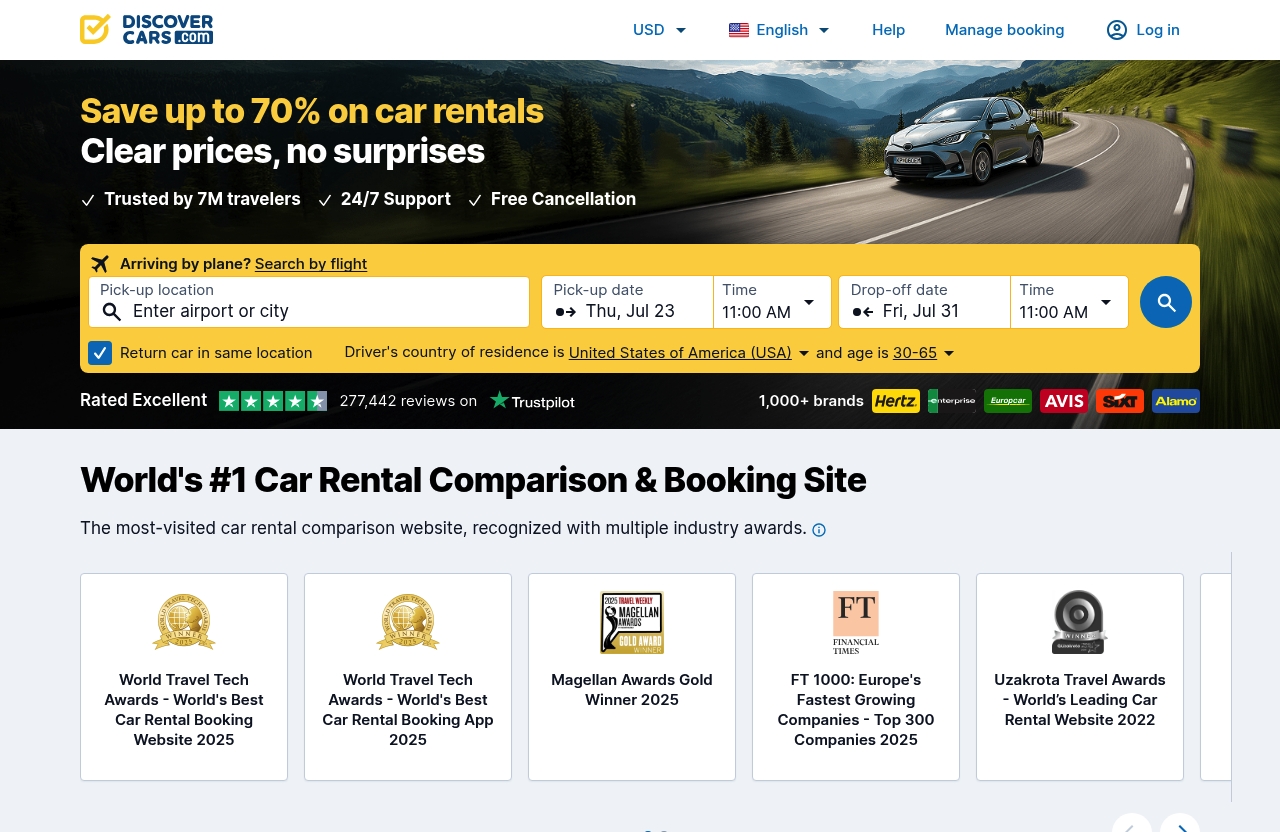
Book Rental Cars in a Few Steps
At its core, the discover cars app provides access to rental deals from many companies through a comparison-focused search experience. Travelers can search for a car rental, review available options, and make a booking without treating the app as a direct guarantee of what every local rental counter will provide.
The central benefit of a comparison platform is choice. Rather than beginning with only one rental brand, you can examine offers from multiple companies and decide which option fits your destination, vehicle needs, and preferred policies.
Manage Bookings on the Go
The Discover Cars booking app includes a My Booking section for reservation management. According to the official descriptions, users can change dates, add another driver, or upgrade their car through this area where applicable.
That is particularly helpful during real travel situations. Flight plans can shift, a travel companion may become an additional driver, or you may realize that your original vehicle category is no longer suitable for your luggage and route.
Find Booking Details in One Place
A major strength of the Discover Cars mobile app is that it brings important rental information together. The app descriptions state that travelers can review car details, including fuel policy, mileage policy, and coverage included.
This is the type of information I would want available before arriving at the rental desk. It is far easier to spot a policy mismatch while you still have time to review the booking than while standing in a busy airport queue.
Discover Cars App Booking Flow: What the Mobile Experience Looks Like
Search and Comparison Experience
The discover cars app follows a familiar travel-search pattern: enter rental requirements, view available options, and compare the details that matter before booking. Discover Cars positions itself as a platform that compares rental deals from multiple providers, so the experience is built around evaluating alternatives rather than choosing from a single company’s inventory.
On the official homepage, Discover Cars also mentions smarter results tailored to a traveler’s flight. It notes that return journey flight details may be pasted from an email, but it also clearly warns that the tool can make mistakes. Treat any automated flight-related detail as a convenience feature, not a substitute for reviewing your pickup and return information manually.
Filtering and Finding the Right Car
Filters can make a broad list of rental results more useful. Official app descriptions mention filters for specific needs, including 4×4 vehicles and in-terminal rental desk locations.
That can matter more than travelers sometimes expect. A 4×4 may be relevant for mountain, winter, or rural routes, while an in-terminal desk may be preferable if you want to reduce the uncertainty of finding an off-site shuttle after a long flight.
When comparing cars, do not focus solely on the headline deal. Check the vehicle category, the supplier, the pickup arrangement, the included coverage details, and the fuel and mileage policies shown for each option.
Checkout and Booking Management
Once a reservation is made, the Discover Cars booking app directs users toward the My Booking area for ongoing access. Official descriptions say users can view booking details and the flexible cancellation policy anytime, which is valuable when travel plans are still moving.
Before confirming a booking, review the Rental Conditions closely. That is the point where you should verify practical details that may affect your trip: cancellation terms, eligibility requirements, extra-driver rules, coverage information, fuel expectations, mileage policy, and any location-specific conditions.
Key Mobile Features Travelers Should Care About
My Booking Management
The discover cars app features are most useful when they solve an immediate travel task. In My Booking, official app information says users can change dates, add another driver, or upgrade their car.
Not every change will necessarily be available for every reservation, so I would view these functions as management tools rather than automatic guarantees. If a requested change affects price, availability, or supplier approval, review the updated reservation details before accepting anything.
Flexible Cancellation Visibility
The app descriptions state that users can view their flexible cancellation policy at any time. They also mention discover cars free cancellation up to 48 hours before the scheduled pickup time, with cancellation possible in the app.
The important word is “up to.” Check the cancellation deadline attached to your individual booking and set a calendar reminder well before pickup. Do not assume that every situation will qualify simply because a general cancellation statement exists.
Rental Conditions and Coverage Details
The discover cars app can show information about fuel policy, mileage policy, and coverage included for each rental car in one place. Those details are not minor fine print; they are often the difference between a smooth rental and an unexpected disagreement at pickup or return.
My practical rule is simple: read the discover cars rental conditions before booking, then read them again before leaving for the airport. Pay special attention to what is included, what is optional, and what the supplier expects when you collect the vehicle.
Customer Support Access
Discover Cars states that customer support is available for rental-related issues, while app descriptions say support can help anytime, day or night. That is reassuring for travelers dealing with schedules across time zones.
Still, keep your confirmation details available and document any issue clearly. If you encounter a problem at collection, take notes, retain relevant paperwork, and communicate the booking reference accurately when contacting discover cars customer support.
Free cancellation on most bookings · No hidden fees
Is the App Better Than the Discover Cars Website?
When the App Is Better
The discover cars app is likely the better option when you are already traveling. It gives you a portable place to check reservation information, review policies, manage eligible booking changes, and look for assistance without opening a laptop.
It is also useful for travelers who prefer having confirmation-related details readily available while navigating an airport, hotel, or unfamiliar destination.
When the Website Is Better
The website may be better for a careful first comparison. Travelers booking a longer trip, coordinating multiple drivers, or assessing several vehicle categories may find that a desktop screen makes it easier to read conditions side by side.
Discover Cars also supports multiple languages and currencies on its official site. That can be useful when planning an international trip and comparing rentals in the context of your preferred language and currency display.
Best Use Cases for Each
| Situation | Better Choice |
|---|---|
| Comparing several rental options in detail | Website |
| Reviewing terms before the first booking | Website |
| Checking a reservation during travel | App |
| Changing dates or adding a driver where available | App / My Booking |
| Looking up fuel, mileage, or coverage details quickly | App |
| Planning an international rental on a larger screen | Website |
For many travelers, the best approach is not choosing one exclusively. Use the website for thorough research, then use the discover cars app to keep the reservation accessible throughout the trip.
Trust, Transparency, and What to Watch Before Booking
Read Rental Conditions Carefully
No car-rental comparison tool can eliminate the need to read the supplier’s terms. Discover Cars specifically advises users to check Rental Conditions before booking to avoid surprises, and that is sensible guidance.
Look for collection requirements, payment expectations, driver eligibility, deposit-related information where shown, and restrictions that could affect your itinerary. If a condition is unclear, do not guess—seek clarification before your pickup day.
Check Fuel and Mileage Policies
Fuel and mileage policies should be reviewed before you compare headline prices. The app can display these details, making it easier to identify whether a particular rental matches how you plan to drive.
For example, a road trip can look different from a short city stay. A traveler planning long-distance driving should pay particular attention to the mileage policy, while anyone unfamiliar with local fueling expectations should understand the stated fuel terms before return.
Know the Cancellation Deadline
The discover cars app allows cancellation in the app according to its descriptions, including free cancellation up to 48 hours before scheduled pickup time. But your individual booking remains the source of truth for its applicable policy.
Save the deadline, review it after any booking change, and avoid leaving cancellation decisions until the final hours. This is one of the simplest ways to prevent avoidable travel costs or confusion.
Understand Supplier Ratings
When comparing rental offers, identify the actual supplier associated with each option and read the details shown in the results. A comparison platform helps surface choices, but the collection experience will involve the rental provider at the selected location.
Use supplier information as one part of your decision, alongside Rental Conditions, vehicle suitability, pickup logistics, and policy clarity. A lower-looking deal is not automatically the better deal if its terms do not fit your trip.
Discover Cars App Download, Availability, and Account Access
Where to Download It
A discover cars app download is available through Google Play and the Apple App Store, according to the official homepage and search listings. Use the official store listing and confirm that you are downloading the correct application.
Avoid downloading travel apps from unofficial sources. Keeping the official app installed can make it simpler to access My Booking when you are away from your email inbox.
Account Sign-In Options
The official Discover Cars website indicates that users can log in or create an account through Google, Apple, or email. Account access is useful because it places booking management in one central location.
Before departure, sign in and make sure you can locate your reservation. This small check can save time if you need to access booking details while traveling with limited connectivity.
Language and Currency Support
Discover Cars supports multiple languages and currencies on its official site. That flexibility can help travelers who are comparing rentals across destinations and want to review prices in a familiar currency display.
Remember that a displayed currency is only one part of evaluating value. Always prioritize the full booking details, conditions, and inclusions over a single price figure.
Who the Discover Cars App Is Best For
Frequent Travelers
Frequent travelers may appreciate the discover cars app because it keeps reservation details and management tools close at hand. If you make regular airport pickups or manage changing itineraries, having My Booking on a phone is practical.
It is also a sensible option for people who prefer consolidating trip administration instead of searching through emails for every rental document.
Airport Pickup Users
Airport renters can benefit from quickly checking pickup information, vehicle details, and booking conditions while in transit. The in-terminal desk filter may also help travelers who prioritize a particular pickup setup.
That said, confirm the exact collection instructions well before landing. Airport rental operations can differ by supplier and destination, so do not assume every booking will follow the same process.
People Who Want Booking Management on Mobile
The Discover Cars mobile app is best suited to travelers who want to change dates, add another driver, upgrade a car where available, or check cancellation information from their phone. It is a practical companion for managing a booking, not a replacement for reading the contract conditions.
For a trip involving several people, long driving distances, or tight arrival times, mobile access to the booking details can be especially useful.
Potential Drawbacks and Limitations
Need to Review Supplier Terms
The biggest limitation is inherent to any comparison platform: rental companies and locations can have different rules. The discover cars app can help present information, but travelers must still review the supplier terms before booking.
Do not assume that two similar-looking vehicles include the same policies. Check every option independently, especially where coverage, mileage, fuel, or cancellation rules differ.
Not Every Booking Issue Is Solved In-App
My Booking offers helpful management functions, but not every travel complication can necessarily be resolved with a few taps. Availability, supplier approval, timing, and reservation-specific rules can affect what changes are possible.
Use the app to review your options, then contact support when a rental-related issue needs assistance. Keep communications and documents organized if the situation involves a meaningful change or dispute.
App Convenience Does Not Remove Rental Counter Risks
A smooth app experience does not remove real-world rental counter requirements. Travelers should still bring the documentation required by their booking and carefully review any paperwork presented at collection.
Before driving away, inspect the vehicle, understand the fuel arrangement, and make sure the rental terms match what you expect. This caution applies whether you book through an app, a website, or directly with a rental provider.
Free cancellation on most bookings · No hidden fees
FAQ
Is DiscoverCars.com Legit?
DiscoverCars.com is a real car-rental comparison and booking platform with an official website, mobile apps, account access, and booking-management functions. Still, legitimate does not mean you should skip the details: read the Rental Conditions and supplier terms carefully before paying or collecting a vehicle.
Why Are Discover Cars So Much Cheaper?
Discover Cars compares deals from multiple rental companies, which can make lower-priced options easier to find. The final value depends on the supplier, car category, destination, availability, and policy details, so compare the full terms rather than only the initial price shown.
Does Discover Card Offer Rental Car Discounts?
Discover Cars and the Discover credit card are different products. The Discover Cars platform compares and facilitates car-rental bookings, while any potential Discover card travel benefits or discounts would need to be checked directly with the card issuer.
What App Is Better Than Turo?
The best choice depends on the rental style you want. Turo is associated with peer-to-peer vehicle rentals, while the Discover Cars booking app is geared toward comparing deals from rental companies; neither is universally better for every trip.
Final Recommendation: Should You Use the Discover Cars App?
Best Overall Use Case
The discover cars app is a solid option for travelers who want a comparison tool before booking and a practical mobile place to manage reservation details afterward. Its value is strongest for checking policies, viewing booking information, and handling eligible changes while on the move.
Bottom Line for Affiliate Readers
For drivetheatlas.com readers, I see it as a useful tool for researching traditional car-rental options without treating it as a shortcut around careful planning. The app and website can help you compare deals, but your final decision should be based on the full Rental Conditions, coverage information, fuel and mileage rules, and pickup requirements.
CTA to Compare Deals
If the booking details fit your travel plans, you can compare rental deals through Discover Cars before choosing a vehicle. Use the discover cars app afterward to keep your booking details accessible and review your cancellation deadline before departure.
Related Reading
- Discover Cars Legit Reddit: A Balanced 2026 Trust Check
- Is Discover Cars Good? A 2026 Traveler Review
- Discover Cars vs Direct Booking: Which Is Better for Rental Cars in 2026?